Form not working in website

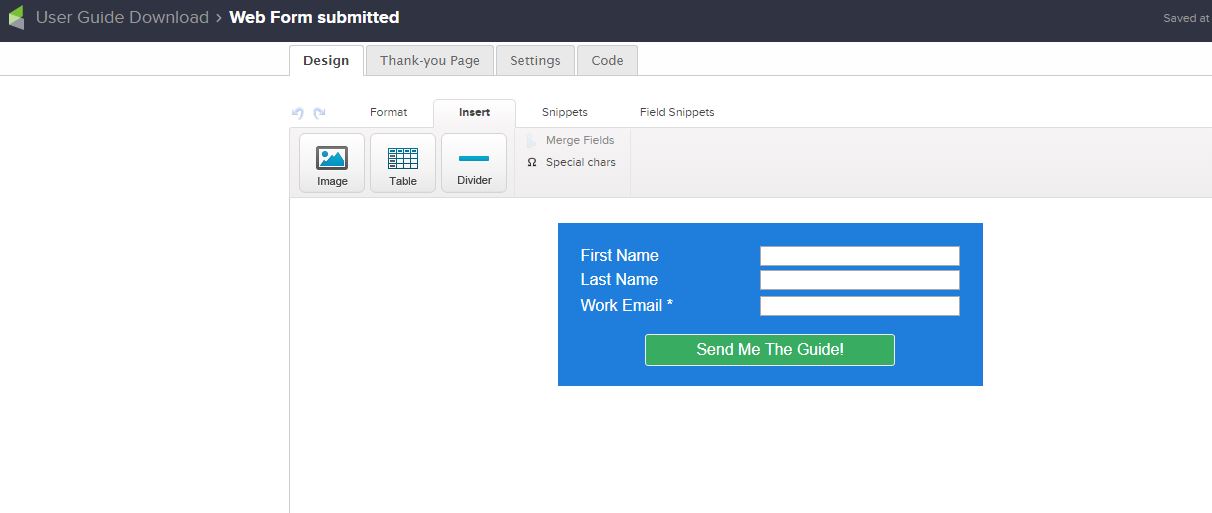
I am in the campaign bulider and have made a form using the “Web form submitted” Goal.

I copy the form’s js to my website and it shows up with no colours and missing one of the fields.

I publish the form, same problem.

I try copying the HTML and the unstyled HTML into my website, neither show properly.

What’s going on?

This is the page: Nortel Networks Phone System Guide - Standard Telecom

I’m trying to upload screenshots, let’s see if that works:
LOL “Sorry, new users can only put one image in a post.” Figures. New users… I’ve been on Infusionsoft for ages. i guess you’ll only get 1 screenshot then.

This is how the js version renders on the website.

i changed the max number of images to 5 for new community members.

Hey Dan - doesn’t look like the campaign is published yet. The form may be set to “ready”, but the campaign needs a publish before those changes go live. Using Javascript should work for you still.
Thanks! This forum is excellent, btw. It was much needed.

Ok, so it’s just giving me the generic form for now. Thanks!

You got it! :+1:

Thanks, you were right!